The trading engine that shows its work
An original zone-based method on MetaTrader 5, running your account in the cloud around the clock — with every entry, stop and target on your phone and your desktop.
No server to rent. Your money stays in your own broker account.
Works with any broker that offers MetaTrader 5, on live or demo accounts. If your broker isn't in the app yet, tell us and we'll add it. The app always uses your broker's own instrument names.
What you get
Trade by hand or let it trade
Take each setup yourself from an alert, or switch on Auto-Execute pair by pair. Change your mind any time.
A stop on every trade
Every trade the engine opens has a stop loss, and your money never leaves your own broker account.
Runs in the cloud
Your own MetaTrader 5 runs on our servers day and night. Nothing to install, no VPS to rent.
Sentinel by your side
Ask about your account by voice or text and get a plain answer, plus a briefing every morning.
See it in 90 seconds
A quick look at the engine, the mobile app and the desktop app — and the two ways you can use it.
- Automated: switch on Auto-Execute and the engine takes the trades for you, around the clock.
- Manual: get the setups, the zones and the alerts, and place the trades yourself — on your own terms.
Every screen, in sync
At your desk, on your laptop or on your phone — the engine keeps working in the cloud and you see every move live.
See inside the appTwo ways to use it
See the whole system in about 11 minutes
A guided walk through connecting an account, choosing what to trade, and every screen you'll use — with subtitles, so you can watch with the sound off.
Trading by hand: the entry rules, step by step
Prefer to take the trades yourself? This guide walks through how a setup forms — the zone touch, the sub window, the crossover that confirms it — and where the stop and targets go, then how to place and manage the trade from the app. With subtitles.
An original method, traded by hand for years before it was automated
The strategy is The Underground Trader's own. It isn't a licensed indicator or a repackaged robot — it was developed and traded on live accounts nearly every day for five to six years, then built into software that follows the same rules every time.
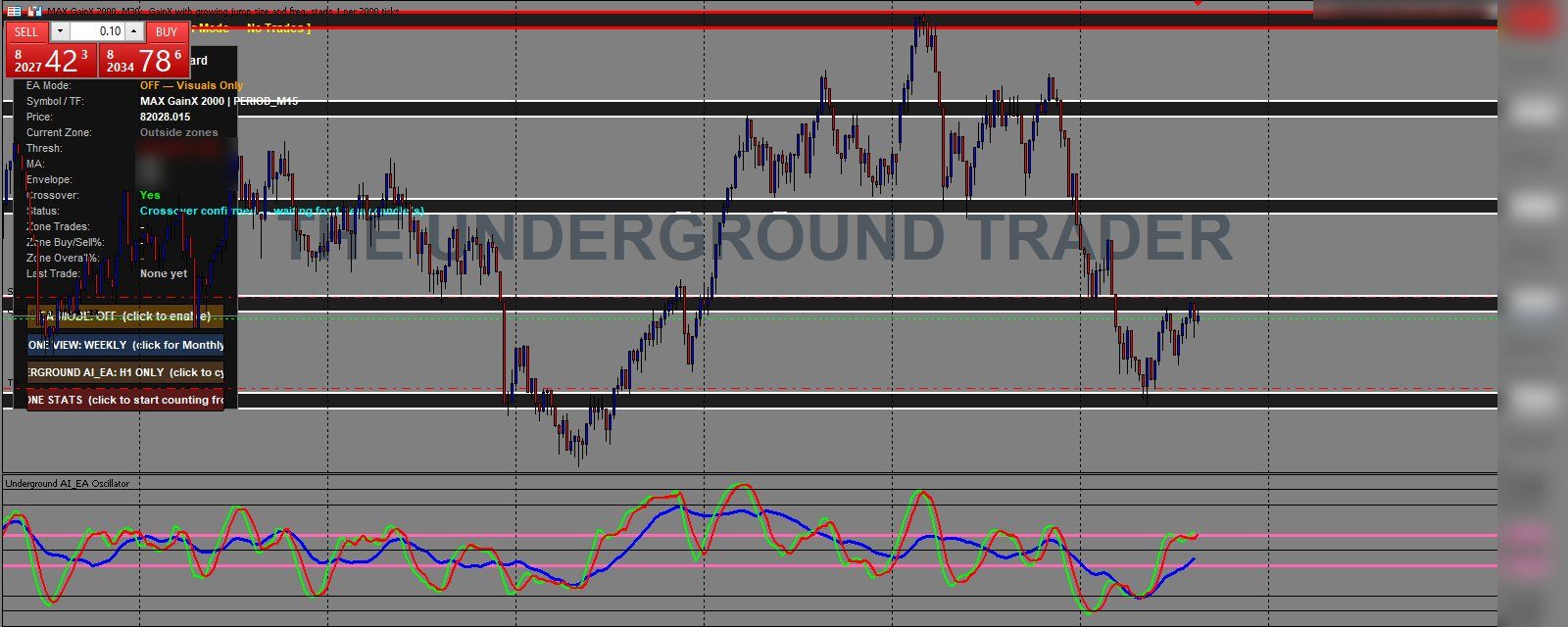
Zones, not lines
Nine price zones built from custom Fibonacci levels you won't find in any charting package. Each zone is an area, because price reacts to areas, not exact points.
Confirmation before entry
When price reaches a zone, the engine waits for its own indicator to confirm. Filters skip weak zones and fresh breakouts before anything is traded.
Managed to the end
Every trade has a stop loss and up to three targets. The engine trails the stop, protects the position at the halfway mark and can bank part of the profit.
Try it free for 14 days. Download the app, connect your MT5 account and we'll approve it.
Start your free trialConnect your MT5 account in about a minute
- Download the app and registerUse the Android or Windows download buttons on this page, then register with your email address.
- Enter your MT5 detailsPick your broker and server, then your account number and trading password. The password is encrypted on your phone — only our trading server can unlock it.
- We approve your accountYou get a notification, and your own MetaTrader 5 starts in the cloud, running 24/7.
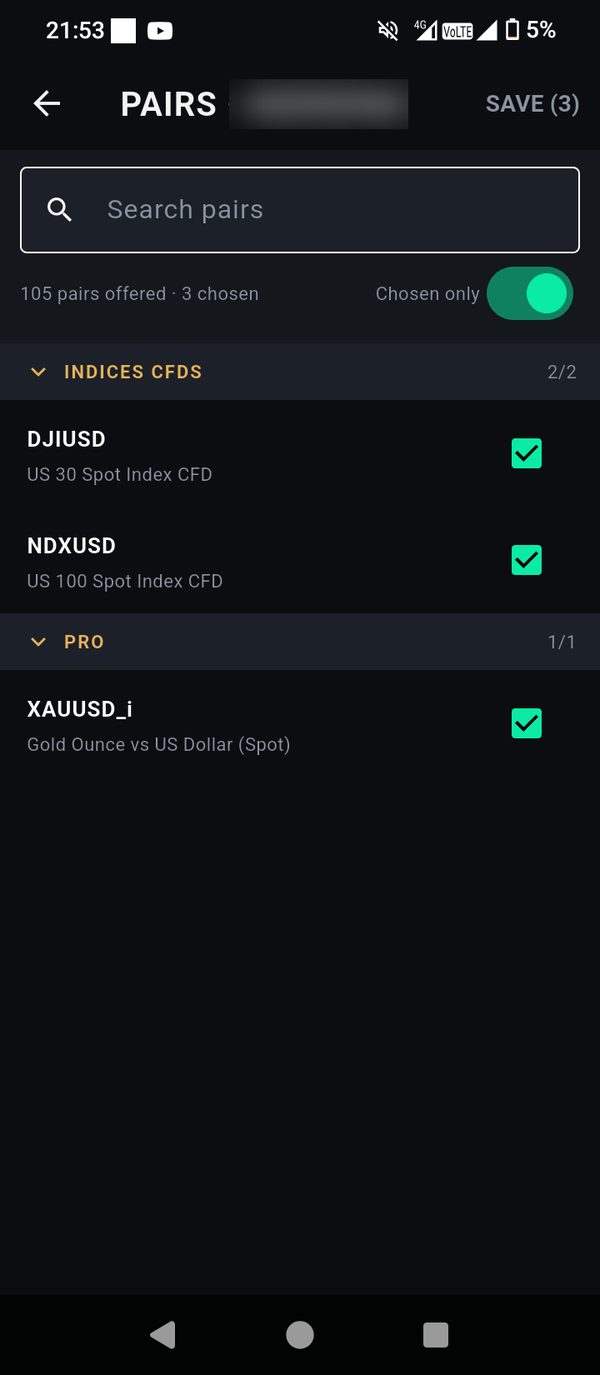
- Choose your markets and set your riskTick the pairs you want and set lot size or % risk for each one.
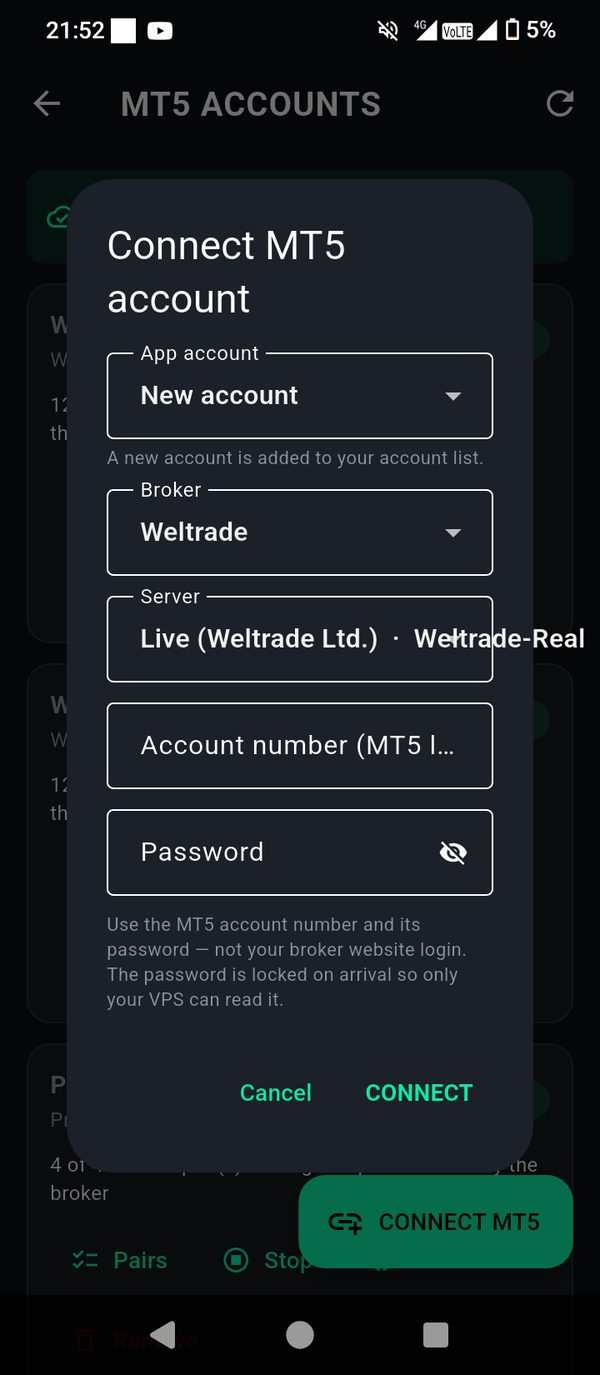
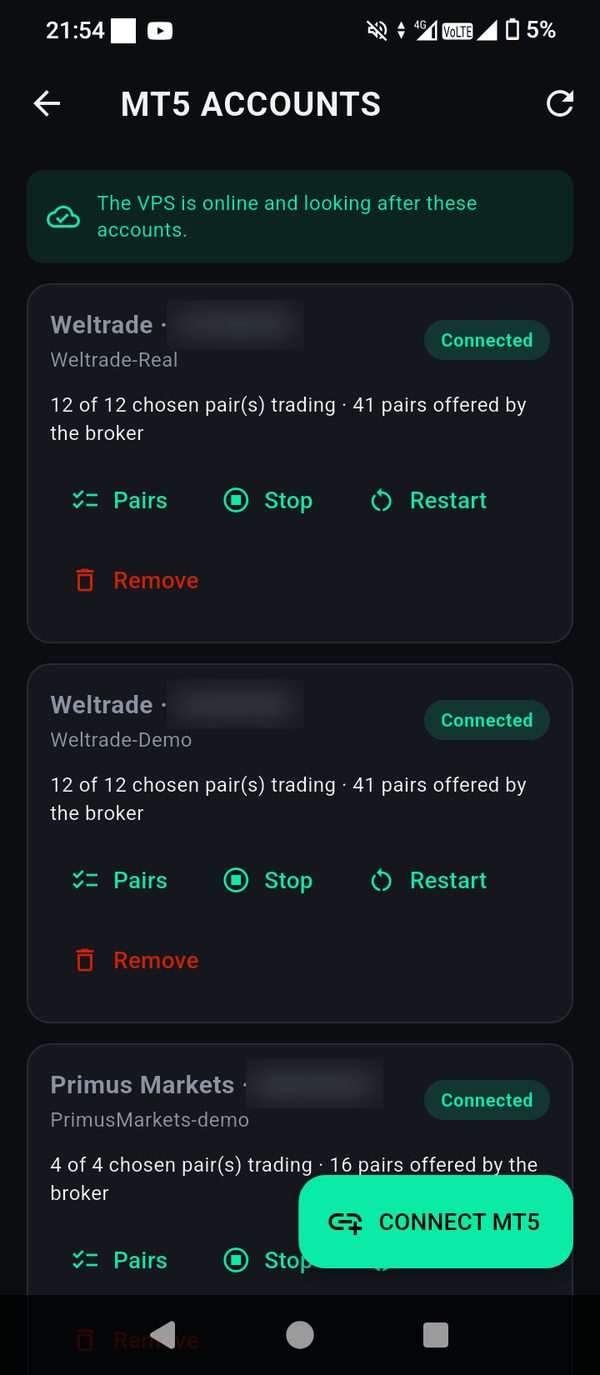
Inside the app
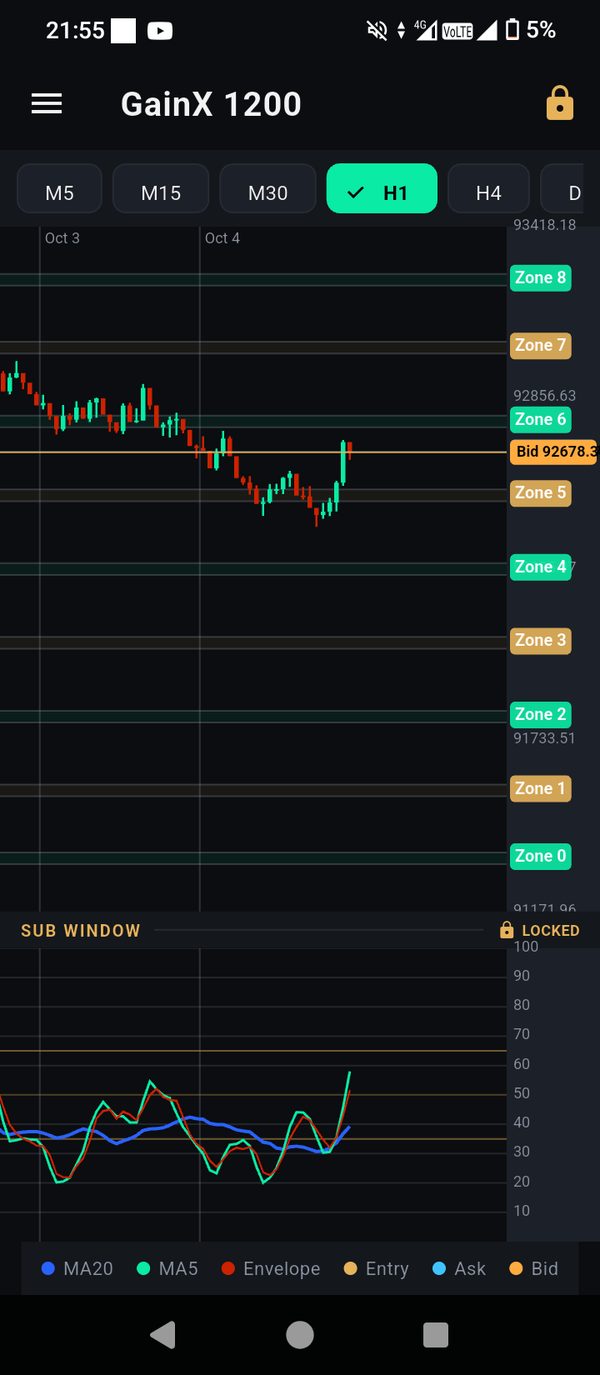
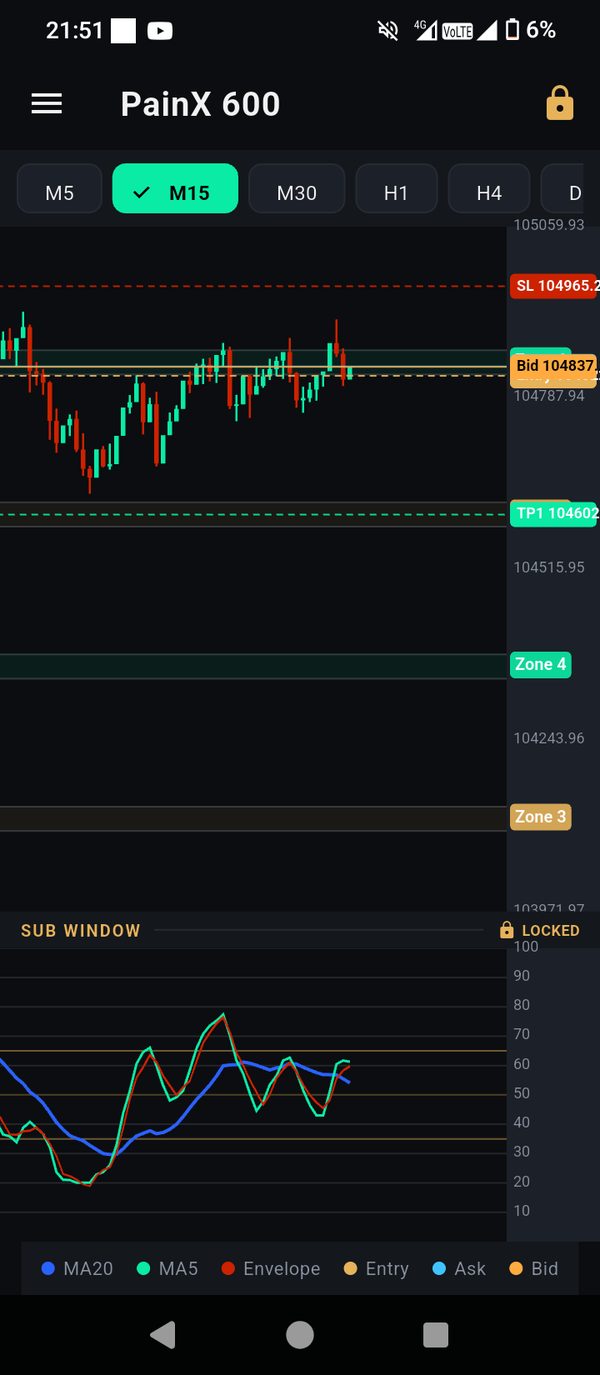
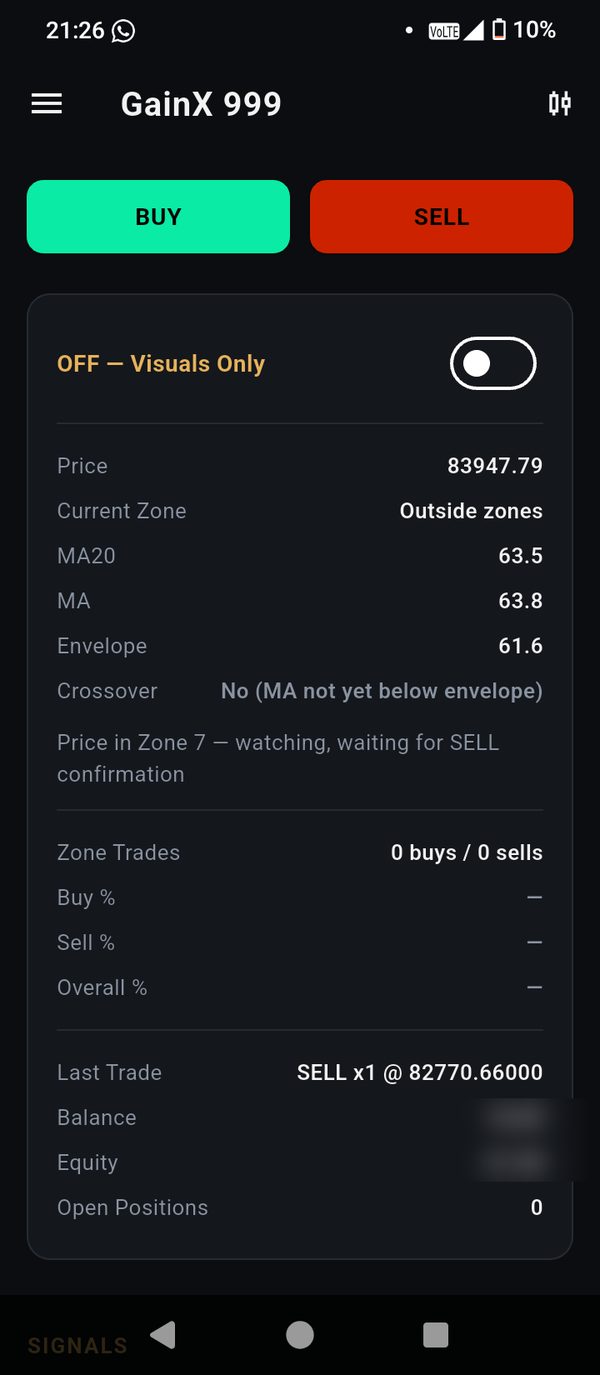
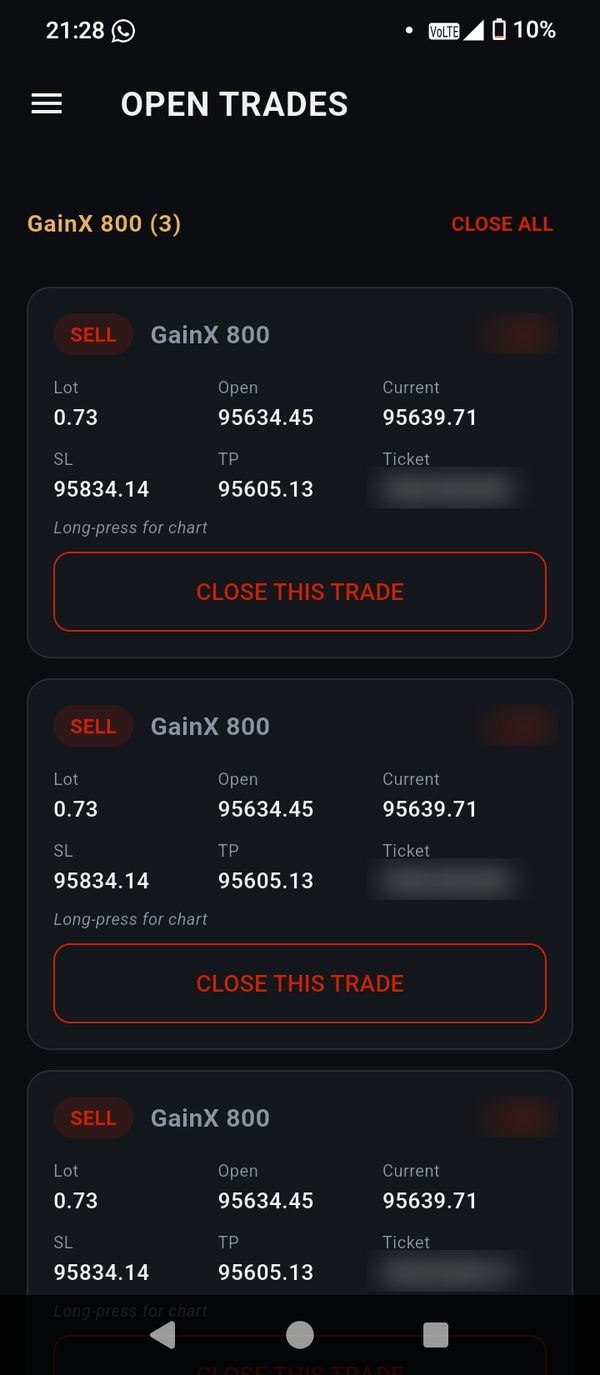
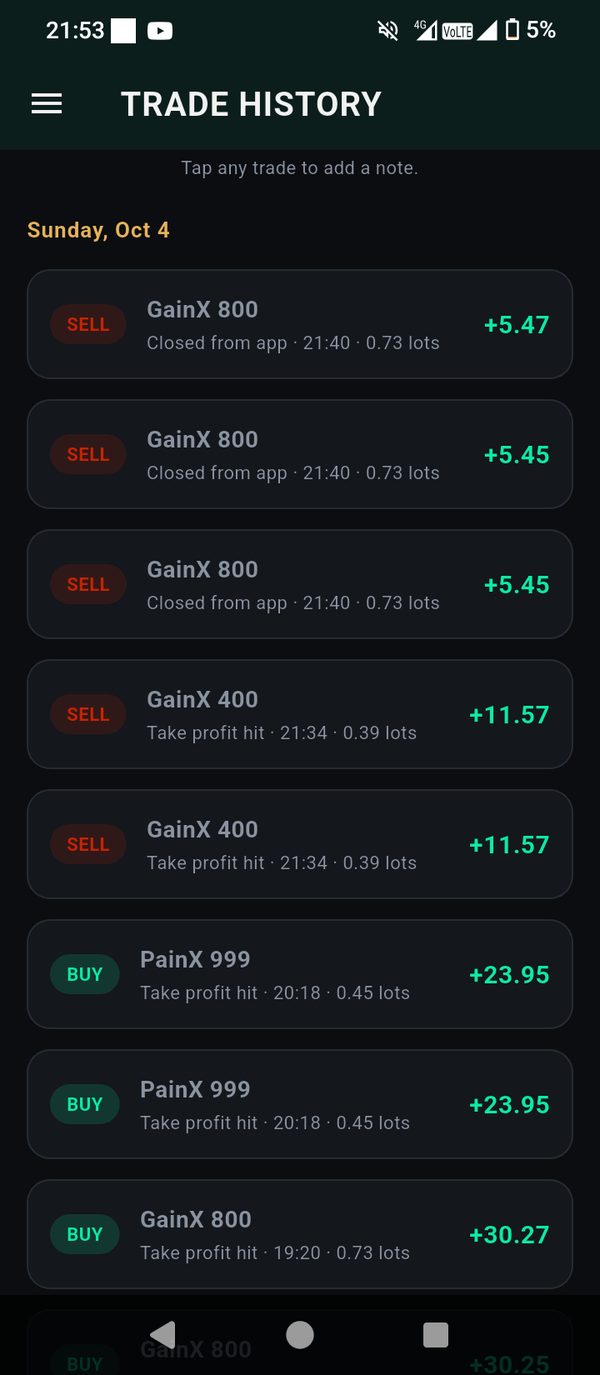
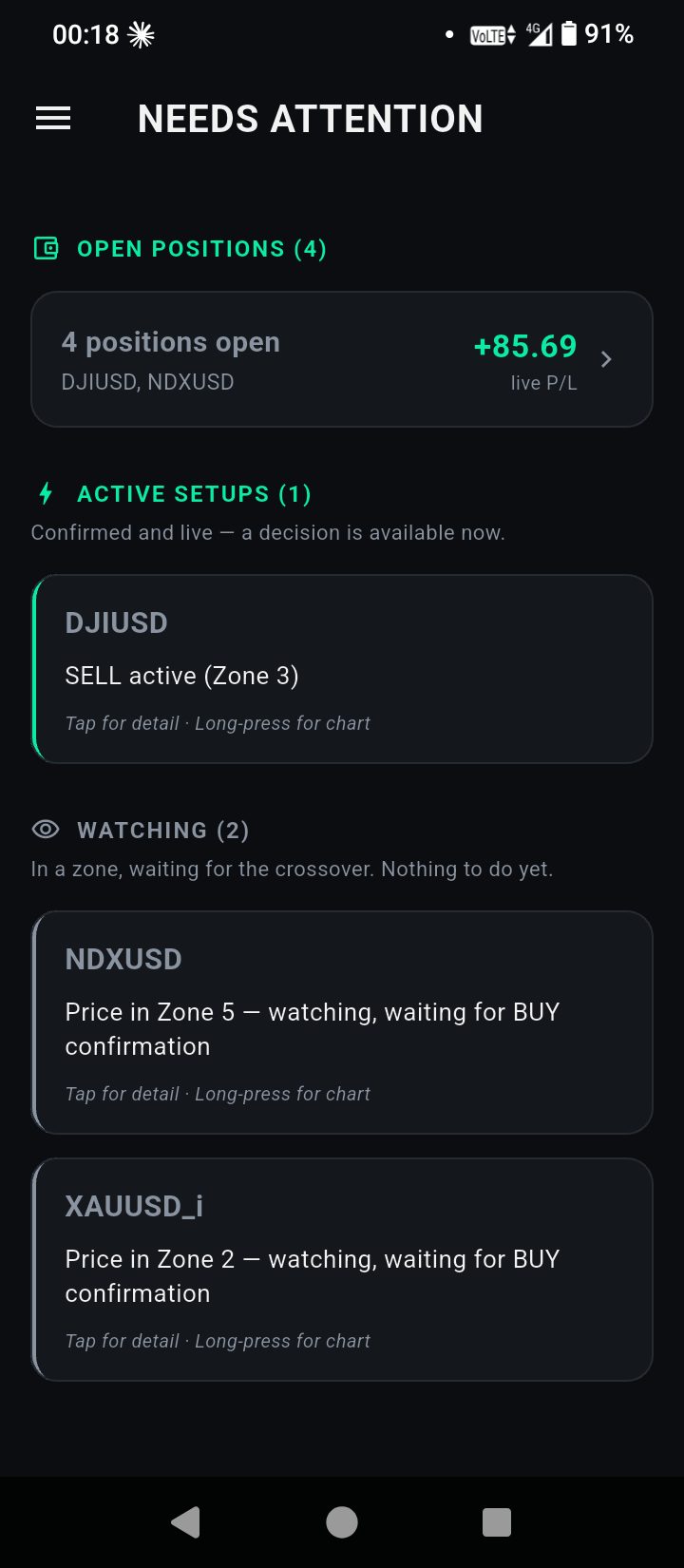
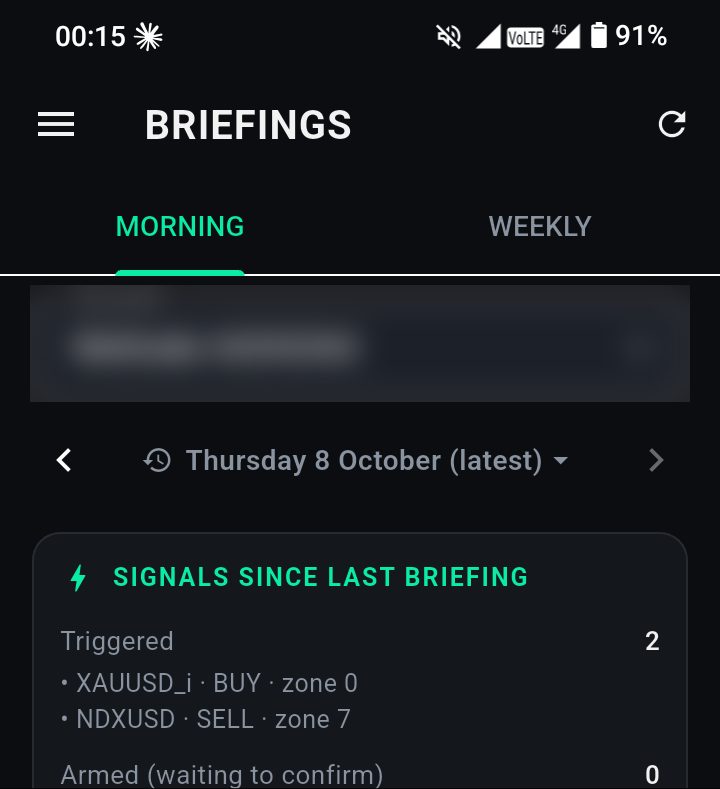
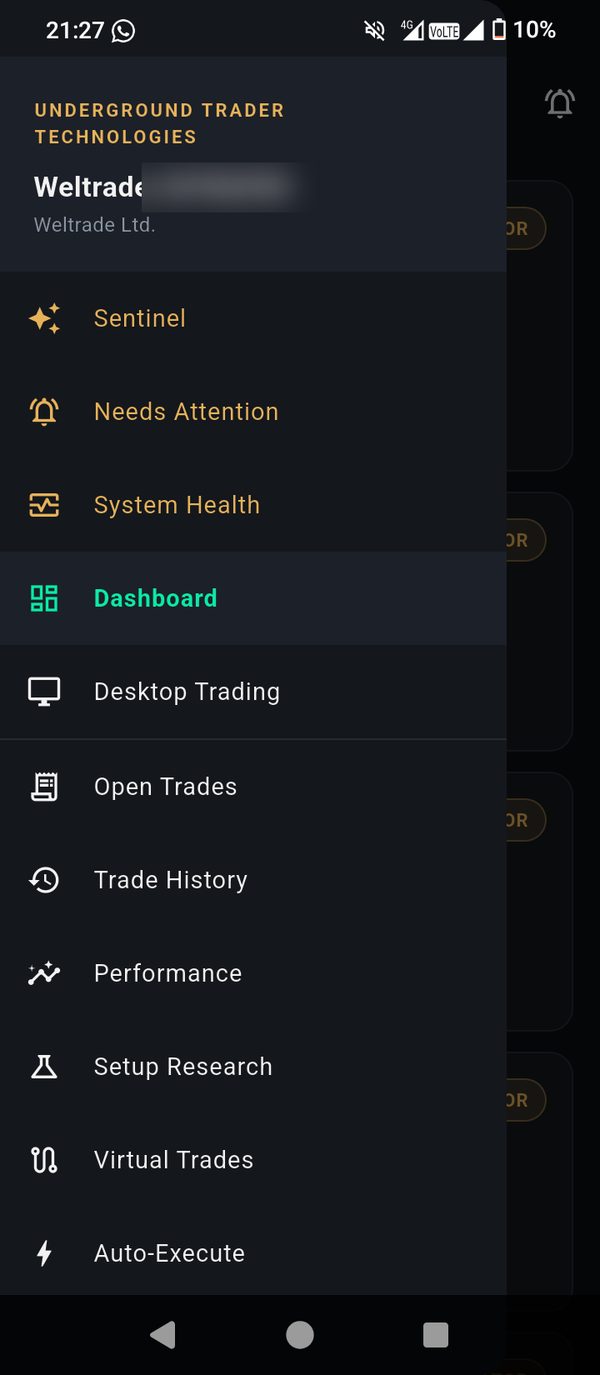
A full trading terminal in your pocket, not just a monitor. Swipe through the screens you'll use every day.
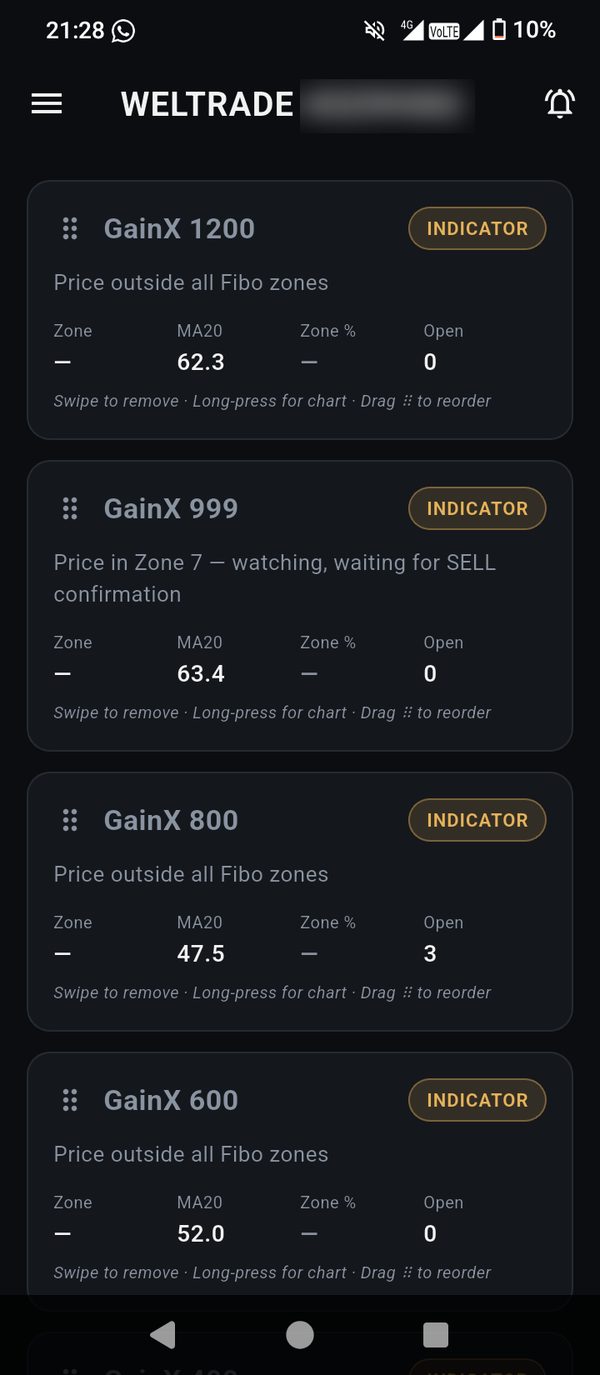
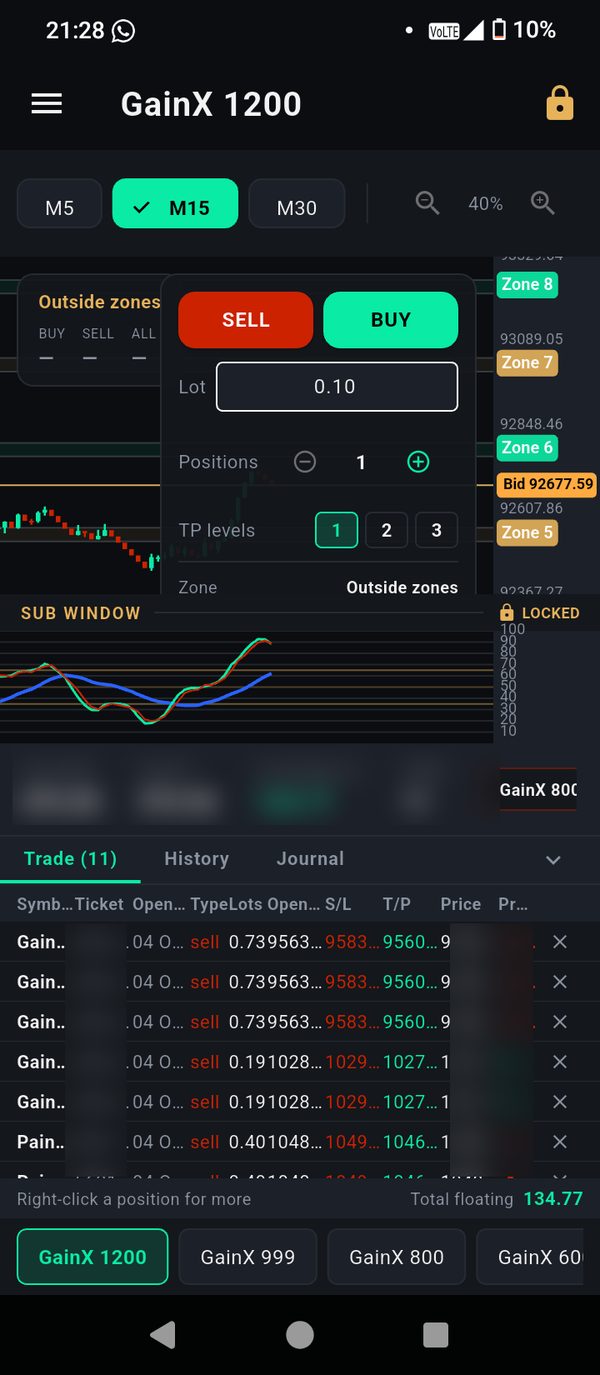
Desktop trading, laid out like MetaTrader
- Order panel with lot size, positions and take-profit levels
- Real-time chart with zones, plus the indicator sub window
- Trade, History and Journal tabs — every order and its real outcome
- Right-click menus, pair tabs you can rearrange, drag-to-move stops
Windows 10 or 11, 64-bit. Sign-in needs an approved account.
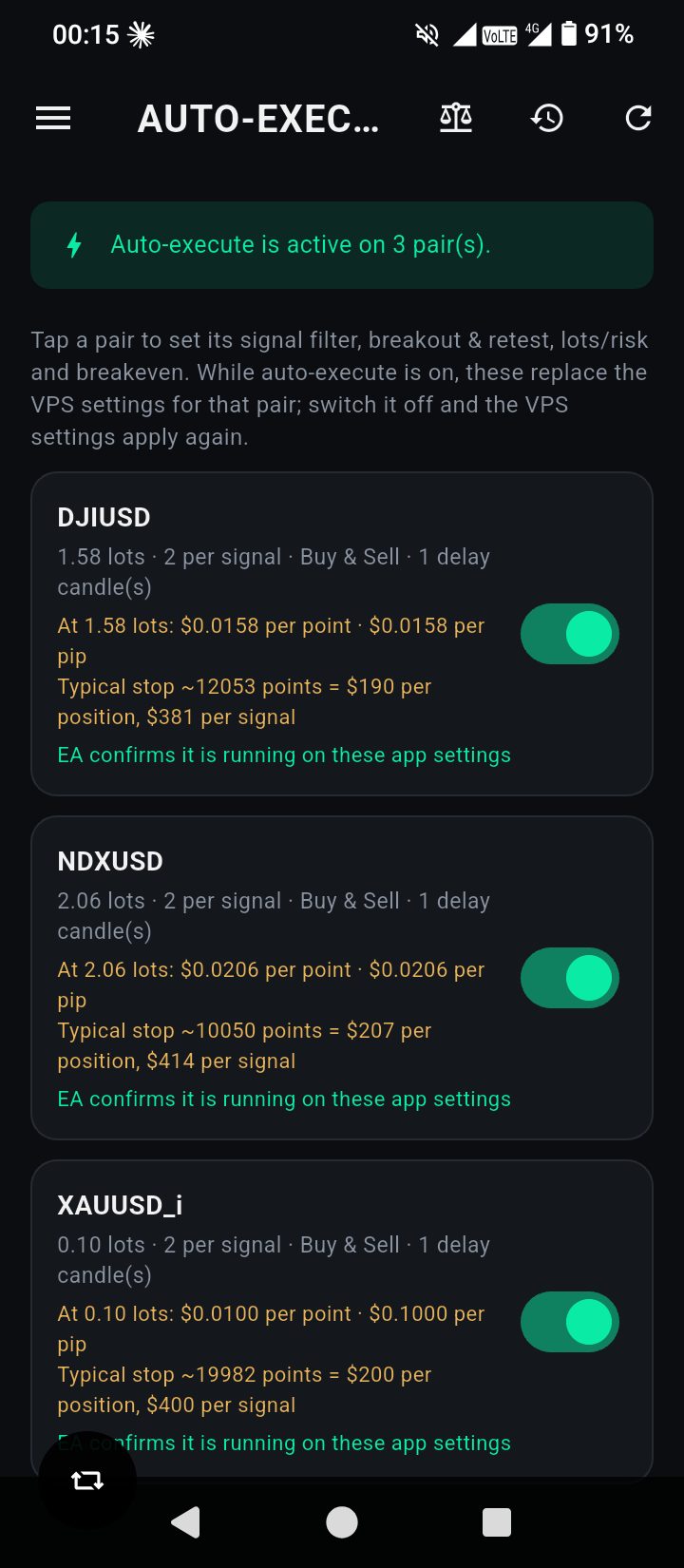
Auto-Execute: you set the rules
Decide how each pair trades on its own, from your phone.
- Fixed lot, or a percentage of your balance per trade
- Positions per signal, buys, sells or both, entry delay
- Breakeven, trailing stop and partial profit-taking
- See what each point is worth and what a trade risks at its stop
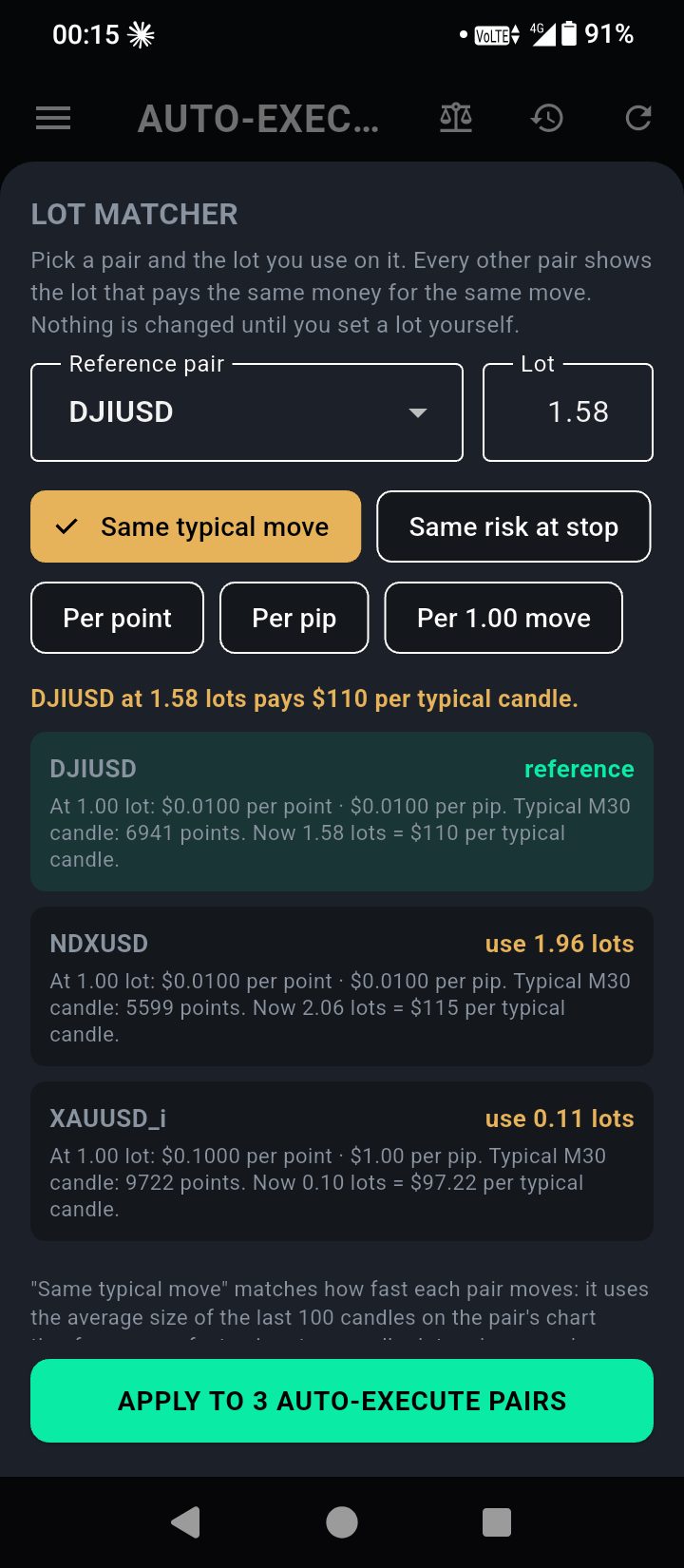
The Lot Matcher evens out your risk
Some pairs move much faster than others. Pick one pair and the lot you're happy with — the Lot Matcher works out the lot for every other pair so a normal move, or a trade's risk at its stop, is worth about the same everywhere. One tap applies them all.
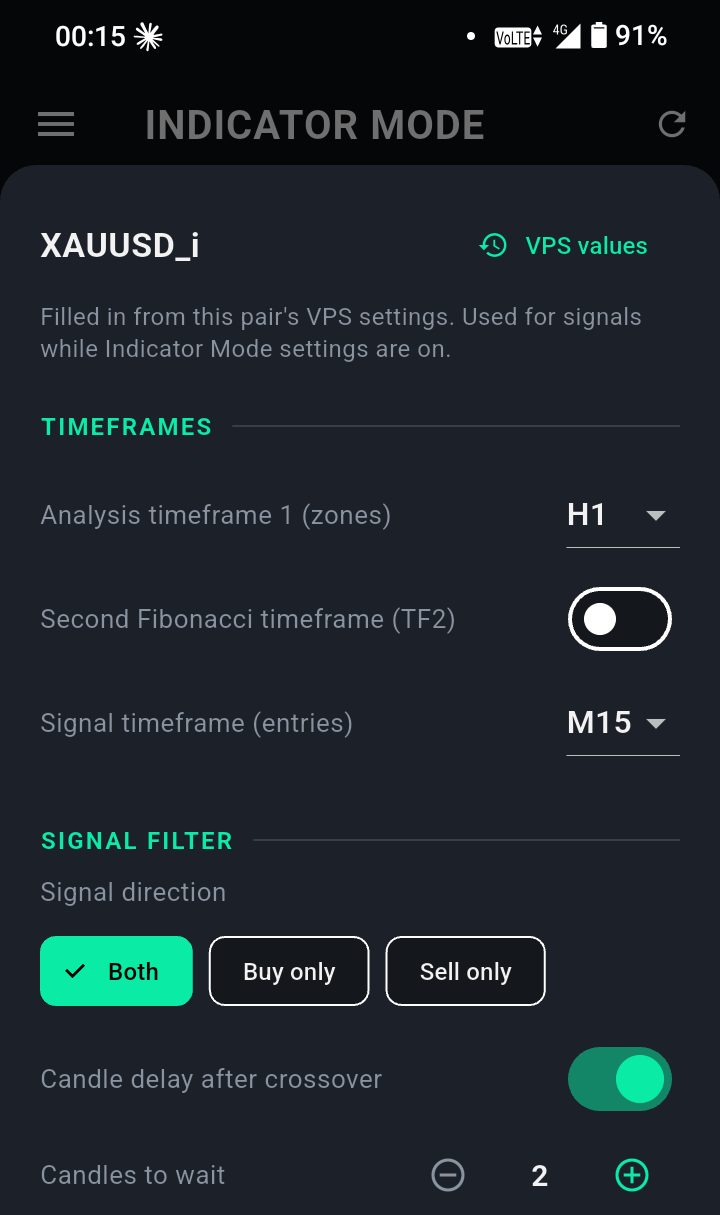
Indicator Mode: tune your signals from your phone
Not ready to let it trade? Keep a pair on signals only, and set how those signals are found — pair by pair.
- Zone and signal timeframes
- Buy only, sell only or both, and the entry delay
- Breakout & retest, RSI, moving average and envelope settings
- Copy one pair's settings to all the others in one tap
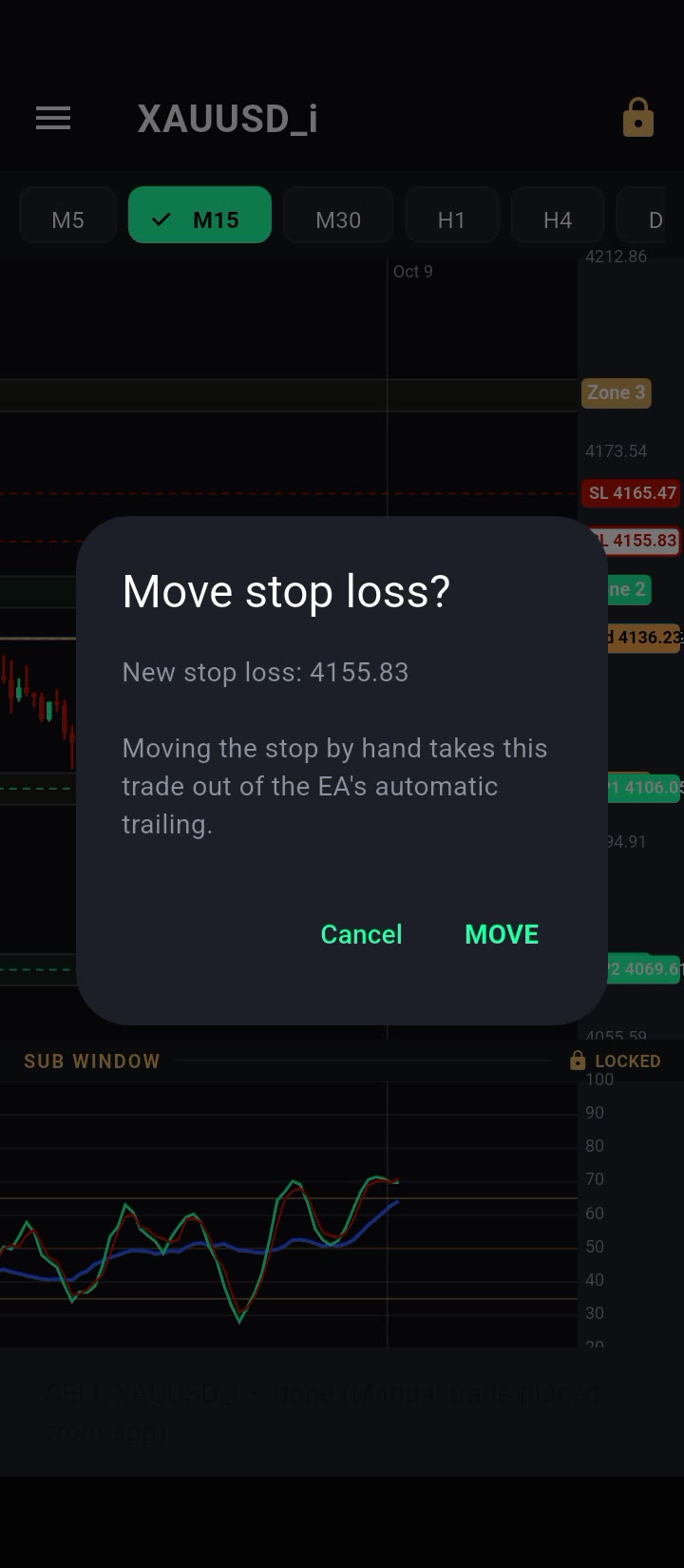
Instant orders, live prices
Tap buy, sell or close and it reaches MetaTrader in about a second — then the app tells you what really happened.
- Buy, sell and close in about a second
- Drag a stop or target on the chart, confirmed at once
- The real answer every time: done, or refused and why
- Prices, candles and your profit or loss update live, several times a second
Meet Sentinel
Your account's own assistant. Ask how things are looking, why nothing entered today, or what happened overnight — and hear the answer.
What Sentinel can do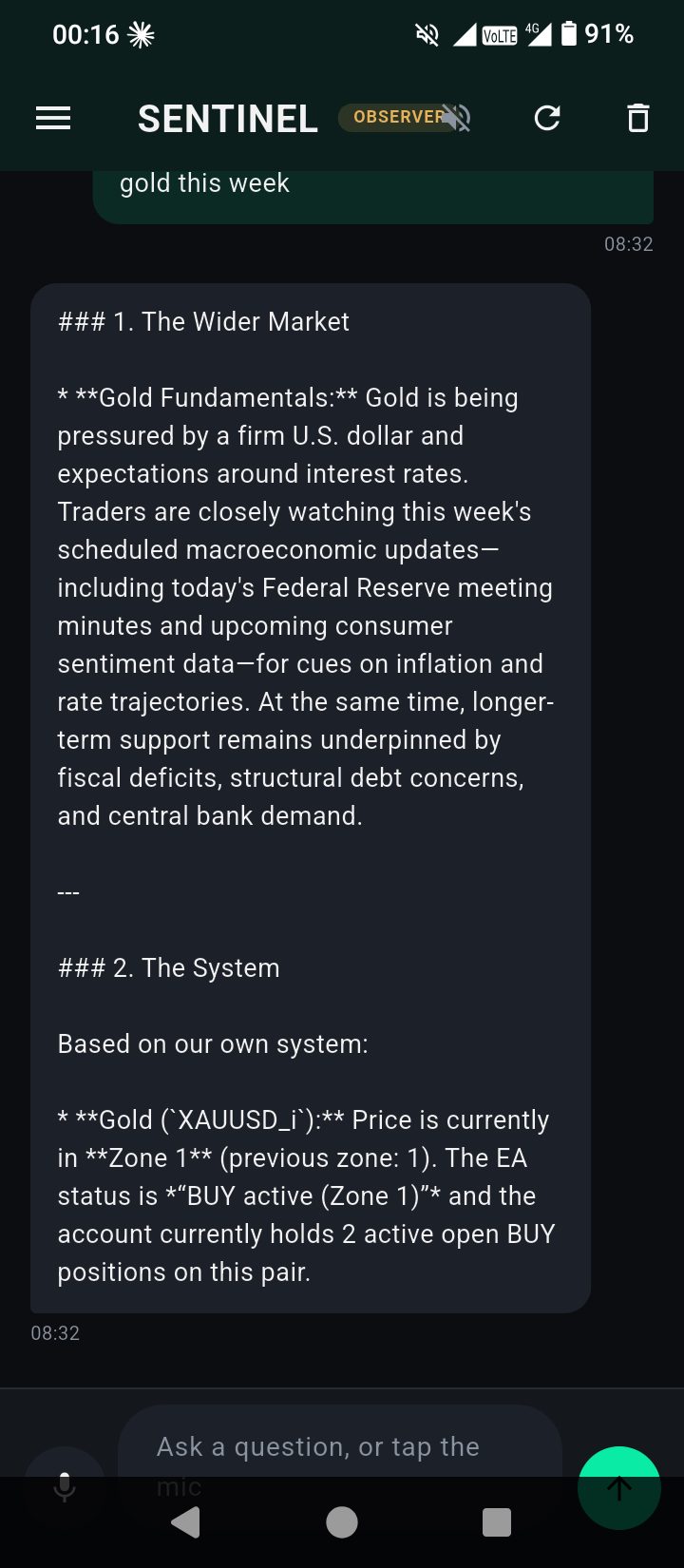
Ask Sentinel anything about your account
Sentinel reads your live account and answers in plain language — by voice or text.
- “How are things looking?” “Why has nothing entered today?”
- Explains why a trade was taken, or why a setup was turned down
- A morning briefing every day and a weekly report every Monday — kept in the app, so you can step back through earlier days
- Acts only within the permissions you give it
It watches the system, so you don't have to
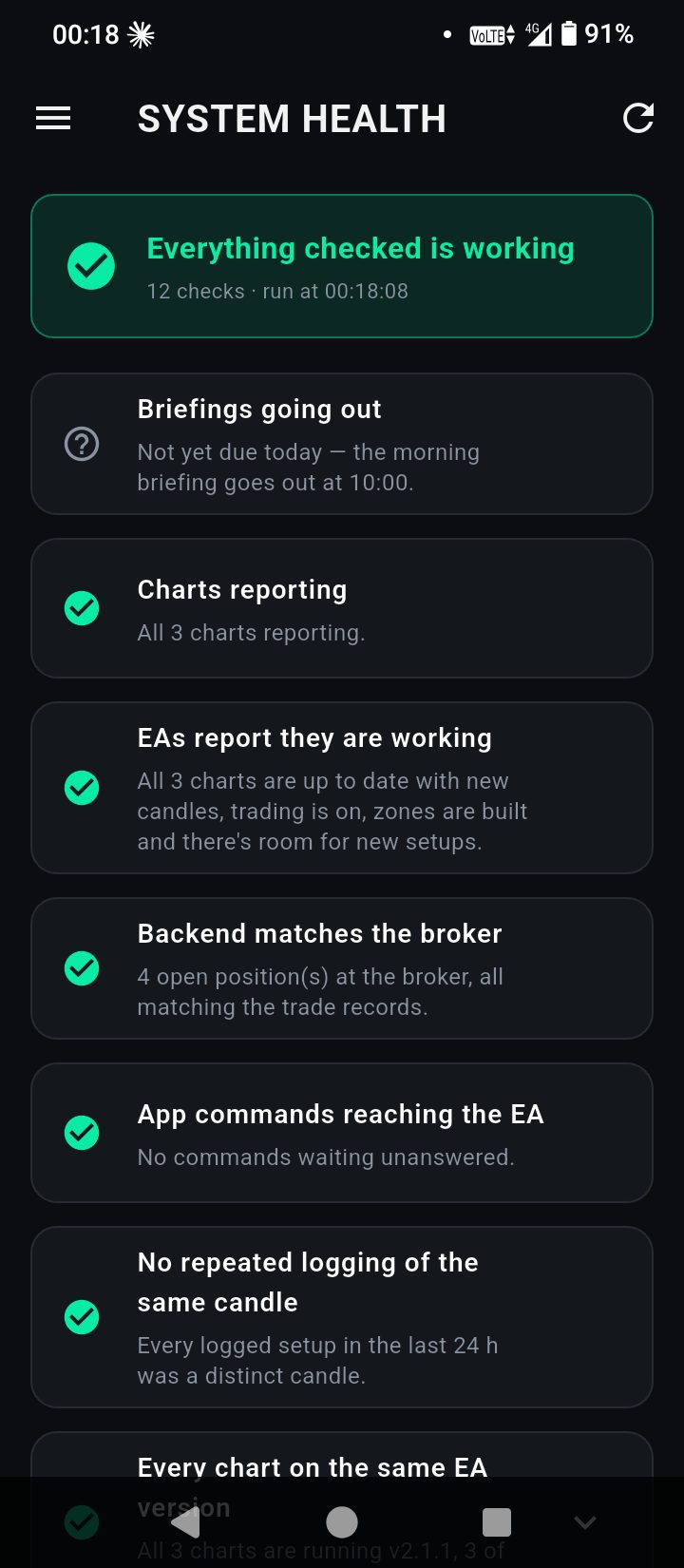
System Health
Checks every chart, command and trade record around the clock. Green means working; anything that quietly stops turns red.
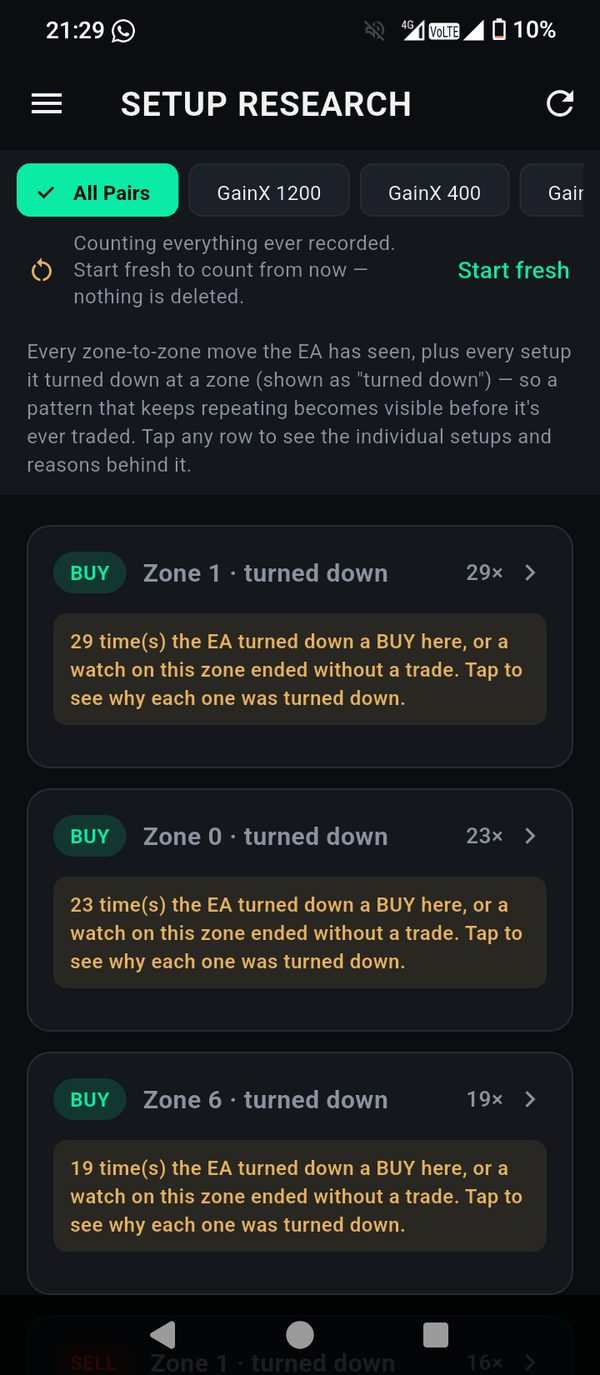
Setup Research
Every setup the engine sees is recorded — including the ones it turns down, and exactly why.
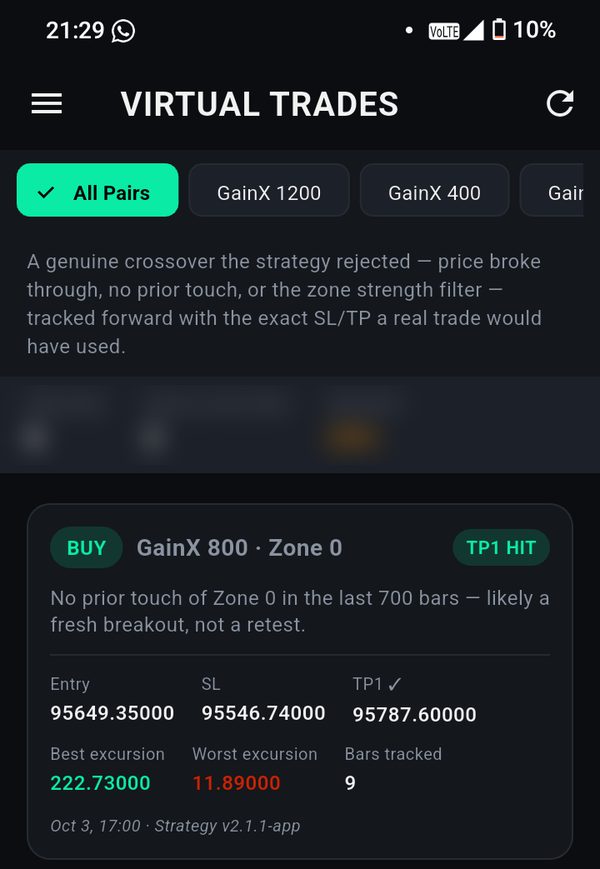
Virtual trades
Rejected setups are followed forward with the same stop and targets, to show honestly what each filter saves or costs.
Built with safety first
Your money stays with your broker
We never receive, hold or move client funds. Trades happen in your own broker account, in your name.
A stop loss on every trade
Every engine trade is opened with a stop loss. Optional daily-loss and drawdown limits stop new trades when you say so.
Passwords we can't read
Your MT5 password is encrypted on your phone with a key only our trading server holds. It is never logged and never shown again.
You stay in control
Switch automation off, close trades, or disconnect your account at any time — from your phone.
Every account approved
New accounts are reviewed before anything runs, and each licence is locked to one MT5 account.
Honest measurement
Results are broken down by pair, zone and strategy version, with a warning whenever there are too few trades to judge.
Try it free for 14 days. Download the app, connect your MT5 account and we'll approve it.
Start your free trialSimple pricing
One plan covers every MT5 account you connect, with the mobile app, the desktop app and your account running in our cloud around the clock.
Monthly
- Mobile and desktop apps
- Your MT5 account running 24/7 in our cloud
- Automated or manual trading
- Cancel any time
Quarterly
- Everything in Monthly
- Save 25% compared with monthly
Yearly
- Everything in Monthly
- Save almost 50% compared with monthly
Full purchase
- The mobile and desktop apps, yours for life
- First year of cloud hosting included
- App updates included
Prices in US dollars; you can pay the equivalent in rand. To start your free trial, download the app and connect your MT5 account — we approve new accounts before they run. When you choose a plan, we confirm it with you on WhatsApp and send the payment details; online card payment is coming soon. If a plan ends, your account pauses after a short grace period and starts again as soon as you renew. Trading involves risk; past results do not guarantee future results.
Questions
Do I need a VPS or my own MetaTrader 5?
No. Your account runs in its own MetaTrader 5 on our cloud servers, around the clock. You only need the app.
Where is my money held?
In your own broker account. We never hold or move client funds — the system only places and manages trades on the account you connect.
Which brokers can I use?
Any broker that offers MetaTrader 5, on a live or demo account. If your broker isn't in the app's list yet, tell us which one you use and we'll add it.
Can I trade by hand as well?
Yes. Buy and sell from the app at any time, switch any pair between automatic and signals-only, and move stops and targets by dragging them on the chart.
What do I need to give you to connect?
Your broker's server, your MT5 account number and your MT5 trading password — not your broker website login. The password is encrypted on your phone before it is sent.
Does it work on iPhone?
Today the app is available for Android and Windows.
How do I install the Android app?
Tap “Download for Android” on your phone, open the file when it finishes, and allow your browser to install apps if Android asks. The app is installed directly from our website rather than the Play Store.
My phone says “app isn’t compatible with your phone”
Your phone runs the 32-bit edition of Android (common on budget phones, including many Samsungs). Delete the file you downloaded and use the version for these phones instead — it is the same app.
How much does it cost?
$40 a month, $90 every 3 months, $250 a year, or $800 once for the full purchase (plus $60 a year for hosting from the second year). Every new client starts with a 14-day free trial. See Pricing.
How do I pay?
Choose a plan under Pricing and we send you the payment details on WhatsApp. Online card payment is coming soon. Your plan starts when your free trial ends, so you never lose trial days by paying early.
What happens if I don't renew?
Your account pauses a few days after your plan ends — nothing is deleted. It starts again as soon as you renew.
Can I stop at any time?
Yes. Switch Auto-Execute off for any pair, close trades, stop your account, or remove it entirely — all from the app.

Ready to see it on your own account?
Download the app, connect your MT5 account, and we'll approve it — you can start on a demo account first. Questions? Message us on WhatsApp or Telegram, or email us any time.
Phone says “app isn’t compatible with your phone”? Some phones (many budget Samsungs) need the other Android version: download it here.
Android: open the downloaded file and allow your browser to install apps when your phone asks. Windows: if a blue “Windows protected your PC” box appears, choose More info → Run anyway.